


Trusted by enterprises across the globe

Designed for all your training needs

Flexible On-Demand Group Learning
Flexible, corporate learning for groups, accessible anytime, anywhere.

Instructor-Led Live, Online Training
Real-time, interactive classes taught by SME via web conferencing.

Independent Self-Paced Learning
Individual learning at your own speed, with access to digital materials.

Customized On-Site Training
Customized, face-to-face training sessions delivered at your location.
Curriculum Designed by Experts
 DOWNLOAD CURRICULUM
Master the administration and management of SmartPlant P&ID with SmartPlant P&ID Administrator Corporate Training by Multisoft Virtual Academy. This course is designed for professionals seeking expertise in configuring, customizing, and managing SmartPlant P&ID environments for seamless project execution. Gain hands-on experience in database management, user access control, symbol customization, and system integration. Learn best practices for optimizing workflows, ensuring data consistency, and maintaining compliance with industry standards. Taught by industry experts, this training enhances your technical proficiency, making you an invaluable asset in plant design and engineering projects. Enroll today and advance your career in SmartPlant administration!
This SmartPlant P&ID Admin Training provides in-depth knowledge of system administration, project setup, and database management. Learners will explore configuration techniques, symbol libraries, and integration with other tools. The course includes practical sessions to help participants manage real-time engineering data efficiently. It is ideal for professionals looking to enhance their expertise in SmartPlant P&ID administration and improve project execution workflows.
- Overview of SmartPlant P&ID architecture
- Role of an SPPID Administrator
- Understanding project environments
- Introduction to engineering data management
DOWNLOAD CURRICULUM
- Understanding Plant Group Types
- Creating and managing hierarchy templates
- Structuring plant data efficiently
- Best practices for project hierarchy setup
DOWNLOAD CURRICULUM
- Import of drawings into SPPID
- Creating border files and template files
- Saving drawings in different formats (DWG)
- Managing drawing standards and formats
DOWNLOAD CURRICULUM
- Cloning symbols (TEMA standards)
- Cloning symbols (Vessel types)
- Creating new symbols for piping components
- Managing symbol libraries
- Creating symbols using Catalog Manager from different formats
DOWNLOAD CURRICULUM
- Creating new select lists and properties
- Changing display names of properties
- Controlling visibility of properties
- Managing engineering attributes and metadata
DOWNLOAD CURRICULUM
- Creating new filters for display sets
- Customizing display views
- Enhancing user interface visibility
- Applying filters for project-specific needs
DOWNLOAD CURRICULUM
- Creating new rules in SPPID
- Reviewing existing rules
- Implementing rule-based validations
- Ensuring data consistency using rules
DOWNLOAD CURRICULUM
- Creating and using new formats
- Managing drawing formats and standards
- Creating and using insulation specifications
- Applying specifications across projects
DOWNLOAD CURRICULUM
- Reviewing and editing Options Manager settings
- Managing symbology and gapping
- Updating out-of-date drawings
- Ensuring drawing consistency and compliance
DOWNLOAD CURRICULUM
- Creating new reports
- Customizing report formats
- Extracting project data efficiently
- Managing engineering documentation
DOWNLOAD CURRICULUM
- Creating drawing revisions
- Versioning drawings
- Tracking changes and updates
- Maintaining revision history
DOWNLOAD CURRICULUM
- Importing project data
- Running Reference Data Synchronization Manager
- Ensuring data consistency across systems
- Handling synchronization issues
DOWNLOAD CURRICULUM
- Backing up SPPID projects
- Running utilities for system optimization
- Maintaining system performance
- Troubleshooting common admin issues
DOWNLOAD CURRICULUM
- Copying a plant project
- Managing multiple project environments
- Reusing templates and configurations
- Best practices for project duplication
DOWNLOAD CURRICULUM
Free Career Counselling
We are happy to help you 24/7Multisoft Corporate Training Features
Outcome centric learning solutions to meet changing skill-demand of your organization
Wide variety of trainings to suit business skill demands

360° learning solution with lifetime access to e-learning materials

Choose topics, schedule and even a subject matter expert

Skilled professionals with relevant industry experience

Customized trainings to understand specific project requirements

Check performance progress and identify areas for development
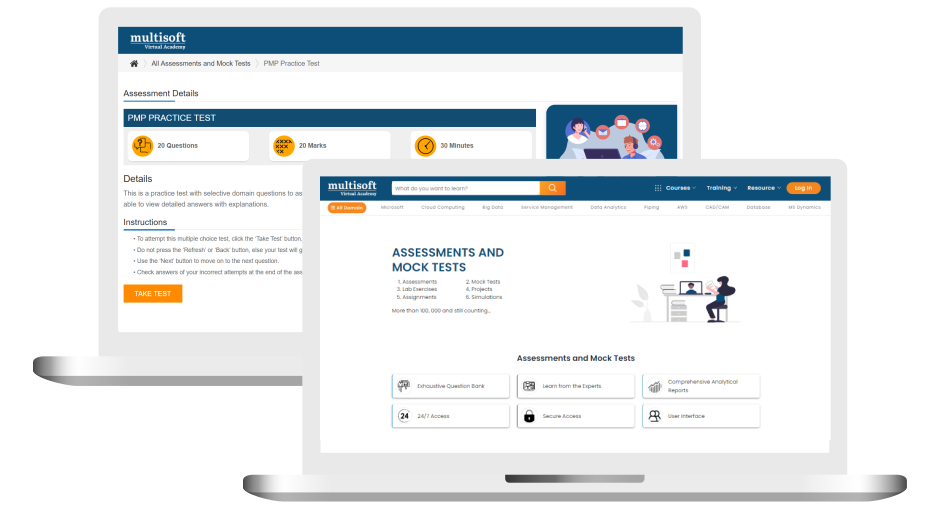
Free SmartPlant P&ID Admin Corporate Training Assessment
Right from the beginning of learning journey to the end and beyond, we offer continuous assessment feature to evaluate progress and performance of the workforce.
Try it Now
SmartPlant P&ID Admin Corporate Training Certification

 Zoom-in

A Role Based Approach To Digital Skilling
A roadmap for readying key roles in your organization for business in the digital age.
 Download Whitepaper

 Download Curriculum
 Join our Live Instructor-Led online classes delivered by industry experts
 Let's Get Started
