


Trusted by enterprises across the globe

Designed for all your training needs

Flexible On-Demand Group Learning
Flexible, corporate learning for groups, accessible anytime, anywhere.

Instructor-Led Live, Online Training
Real-time, interactive classes taught by SME via web conferencing.

Independent Self-Paced Learning
Individual learning at your own speed, with access to digital materials.

Customized On-Site Training
Customized, face-to-face training sessions delivered at your location.
Curriculum Designed by Experts
 DOWNLOAD CURRICULUM
BIT660 - Data Archiving training is an SAP-focused program that teaches how to manage and control growing business data by archiving it safely, efficiently, and compliantly. It covers the full archiving lifecycle - selecting archiving objects, setting residence times, running write and delete programs, and monitoring background jobs using ADK tools. Learners also explore storage and access options such as ArchiveLink, plus troubleshooting and best practices to reduce database size and improve SAP system performance.
- Understand Data Archiving and its role in your system
- Determine the positioning of data archiving in SAP solutions
- Differentiate between data archiving and document storage
DOWNLOAD CURRICULUM
- Describe and display the mandatory and optional components of an archiving object
- Describe the use of transactions SARA and AOBJ
- Maintain file names and file paths
- Maintain storage folders if you want to store archive files in a storage system
- Perform cross-archiving-object customizing
- Perform archiving-object-specific customizing
- Name possible variants in Data Archiving
- Maintain residence times for FI_DOCUMNT archiving object
- Maintain residence times for SD archiving objects
- Describe how to use user exits for SD archiving objects
- Target an existing content repository using the SAP CMS interface
DOWNLOAD CURRICULUM
- Determine the critical tables using "size" and "growth"
- Assign an archiving object to a table
- Choose one suitable archiving object from several that can be assigned
- Describe dependencies between archiving objects
- Use the network graphic to display archiving sequences
- Identify business, technical and legal considerations in data archiving
- Use transaction TAANA to determine appropriate selection criteria
- Use transaction TAANA to determine appropriate archiving objects
DOWNLOAD CURRICULUM
- Carry out functions in transaction SARA
- Schedule archiving jobs
- Maintain variants
- Describe the authorization checks
- Monitor archiving jobs
- Display and interpret logs
- Interpret data archiving statistics
- Describe the procedure for errors and restart scenarios
- Describe how management data is structured
- Archive management data
- Interpret the status of archiving sessions
- Store archive files
- List possible external storage media
- Describe the connection between data archiving and system performance
- Describe the meaning and the requirements of a long-term archiving plan
DOWNLOAD CURRICULUM
- List the options for accessing archived data
- Display archived documents directly from the standard display transactions
- Access archived documents using special read programs
- Understand the reload function in the context of accessing archived data
- Describe the components and the usage areas of the Archive Information System
- Create or adapt an archive information structure
- Build an archive information structure
- Search for a document directly using the Archive Information System and displaying it in a technical view
- Describe the Document Relationship Browser (DRB) and its purpose
- Use roles in the Document Relationship Browser or personalize its functions
- Define and explain the purpose of the Data Retention Tool (DART)
- Describe the connection between data archiving and DART
- Describe which data DART saves in its extract files and how
- Explain why you need views of DART extracts
DOWNLOAD CURRICULUM
Free Career Counselling
We are happy to help you 24/7Multisoft Corporate Training Features
Outcome centric learning solutions to meet changing skill-demand of your organization
Wide variety of trainings to suit business skill demands

360° learning solution with lifetime access to e-learning materials

Choose topics, schedule and even a subject matter expert

Skilled professionals with relevant industry experience

Customized trainings to understand specific project requirements

Check performance progress and identify areas for development
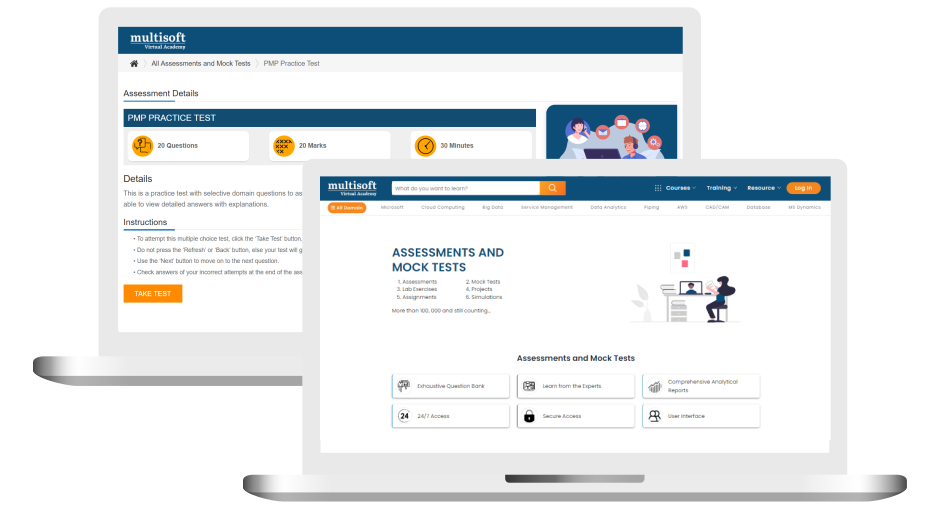
Free BIT660 - Data Archiving Corporate Training Assessment
Right from the beginning of learning journey to the end and beyond, we offer continuous assessment feature to evaluate progress and performance of the workforce.
Try it Now
BIT660 - Data Archiving Corporate Training Certification

 Zoom-in
Related Courses


A Role Based Approach To Digital Skilling
A roadmap for readying key roles in your organization for business in the digital age.
 Download Whitepaper

 Download Curriculum
 Join our Live Instructor-Led online classes delivered by industry experts
 Let's Get Started
