New Year Offer - Flat 15% Off + 20% Cashback | OFFER ENDING IN :

Duration

30Hrs.

Experience & Certified

Trainers

Type of Batch

WeekEnd/WeekDay

Program Formate

Online

Ready to Up-Skill yourself !

Share your details for best career advice.

Instructor-led Training Live Online Classes

Suitable batches for you

21 Mar 2026 30 06:00 PM - 10:00 AM Sat, Sun
22 Mar 2026 30 06:00 PM - 10:00 AM Sat, Sun
28 Mar 2026 30 06:00 PM - 10:00 AM Sat, Sun
29 Mar 2026 30 06:00 PM - 10:00 AM Sat, Sun

Course Price At

$ 500

Enroll Now
lockimage Secure Transaction lockimage lockimage

Talk to our training advisor

Instructor-led Training Live Online Classes

21 Mar 2026 30 06:00 PM - 10:00 AM Sat, Sun
22 Mar 2026 30 06:00 PM - 10:00 AM Sat, Sun
28 Mar 2026 30 06:00 PM - 10:00 AM Sat, Sun
29 Mar 2026 30 06:00 PM - 10:00 AM Sat, Sun

Course Price At

$ 500

Enroll Now
lockimage Secure Transaction lockimage lockimage

Online Self Learning Courses are designed for self-directed training, allowing participants to begin at their convenience with structured training and review exercises to reinforce learning. You’ll learn through videos, PPTs and complete assignments, projects and other activities designed to enhance learning outcomes, all at times that are most convenient to you.

Course Price At

$ 500

Enroll Now
lockimage Secure Transaction lockimage lockimage

Talk to our training advisor

Autodesk InfraWorks Online Training Course In Singapore Course Syllabus

Curriculum Designed by Experts

Download Curriculum DOWNLOAD CURRICULUM

  • Introduction to Autodesk InfraWorks environment
  • Understanding the Home screen and model builder
  • Exploring ribbons, toolbars, and palettes
  • Navigation controls and view management
  • Customizing workspace and display settings
Download Curriculum DOWNLOAD CURRICULUM

  • Overview of supported data formats (GIS, CAD, raster, etc.)
  • Importing and managing data sources
  • Working with shapefiles and terrain data
  • Coordinate systems and geolocation setup
  • Data synchronization and updates
Download Curriculum DOWNLOAD CURRICULUM

  • Applying styles to terrain, roads, and features
  • Managing style palettes and themes
  • Editing feature appearance and visualization
  • Creating custom styles and templates
  • Enhancing model aesthetics for presentations
Download Curriculum DOWNLOAD CURRICULUM

  • Creating and editing road alignments
  • Designing intersections and corridors
  • Applying design standards and constraints
  • Working with profiles and cross-sections
  • Traffic simulation basics
Download Curriculum DOWNLOAD CURRICULUM

  • Modeling rivers, lakes, and drainage systems
  • Analyzing water flow and watershed areas
  • Creating culverts and stormwater systems
  • Flood simulation and impact analysis
  • Integrating hydrology data
Download Curriculum DOWNLOAD CURRICULUM

  • Designing bridge structures and components
  • Railway alignment and track creation
  • Tunnel design and placement techniques
  • Structural analysis and visualization
  • Integrating transportation networks
Download Curriculum DOWNLOAD CURRICULUM

  • Adding buildings, vegetation, and city furniture
  • Using model builder for automatic feature generation
  • Importing 3D models and assets
  • Enhancing realism with textures and lighting
  • Managing large models efficiently
Download Curriculum DOWNLOAD CURRICULUM

  • Terrain and elevation analysis
  • Sightline and visibility analysis
  • Environmental and impact assessments
  • Cost estimation and feasibility studies
  • Using analysis tools for decision-making
Download Curriculum DOWNLOAD CURRICULUM

  • Creating presentations and storyboards
  • Generating reports and visual outputs
  • Sharing models via cloud platforms
  • Collaboration and stakeholder engagement
  • Exporting designs for further use
Download Curriculum DOWNLOAD CURRICULUM

Free Career Counselling

We are happy to help you 24/7

Autodesk InfraWorks Online Training Course In Singapore Description

  • Understand the fundamentals of Autodesk InfraWorks and BIM workflows
  • Learn to create and manage large-scale infrastructure models
  • Perform terrain analysis and integrate GIS data
  • Design roads, bridges, and drainage systems efficiently
  • Enhance visualization and presentation of infrastructure projects
  • Improve collaboration and decision-making using real-time simulations
  • Gain practical skills for real-world infrastructure development projects

  • Civil engineers
  • Civil designers
  • Project engineers
  • Construction Project Managers

  • Basic knowledge of civil engineering or infrastructure design concepts
  • Familiarity with CAD tools like AutoCAD or Civil 3D (preferred but not mandatory)
  • Understanding of basic computer operations
  • Interest in BIM and 3D modeling technologies

Autodesk InfraWorks Online Training Course In Singapore Certification

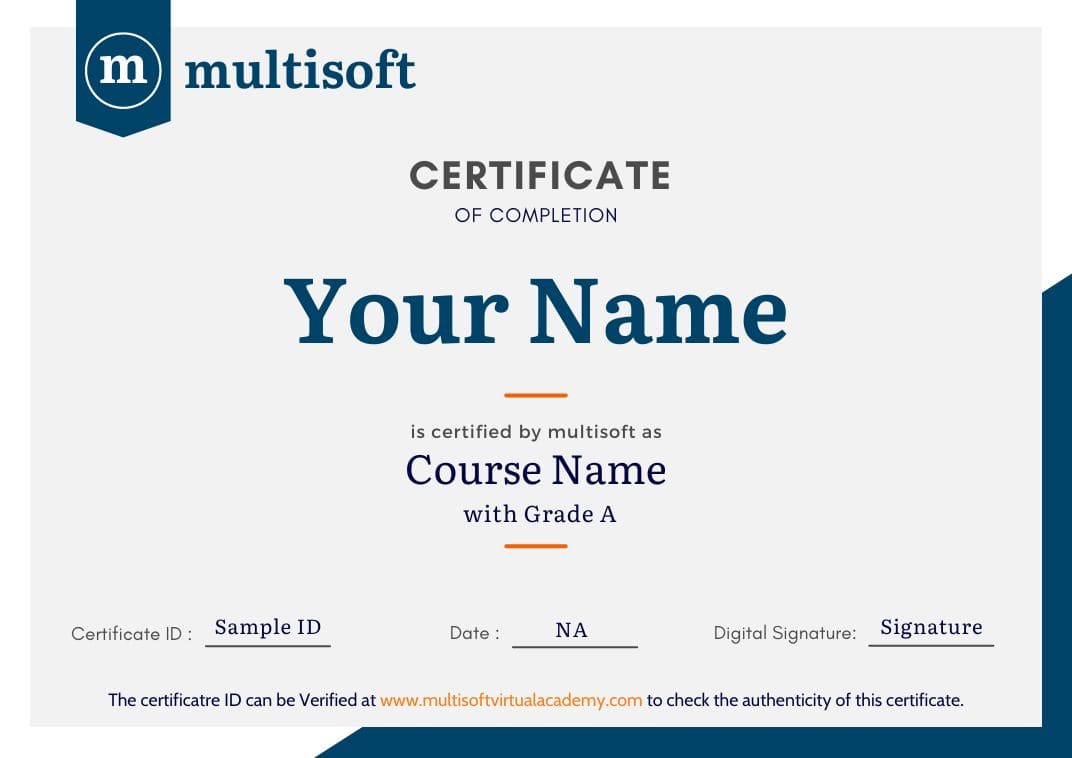
Multisoft Virtual Academy provides a globally recognized training certificate to the participants, after successful completion of a training program. The training certificates are recognized and accepted across the world.

Multisoft Virtual Academy's training certificate comes with lifetime validity.

Aspirants can directly enroll for the desired course from the Book Now Button in the course page. You can also connect on Whatsapp at +91 8130666206 to talk with a training advisor. Multisoft Virtual Academy also offers customized training programs on a wide range of domains and skills.

All training programs offered by Multisoft Virtual Academy are delivered by certified industry experts, who have years of experience in the relevant domains. Multisoft Global Subject Matter Experts impart knowledge on a wide variety of training courses through one –on-one and corporate training sessions.

Multisoft Virtual Academy training certification can help participants stand out in the competitive job market. Since the training certificates are internationally accepted, participants can showcase their skills and knowledge to employers across the world.

Autodesk InfraWorks Online Course In Singapore Corporate Training Certification

Interactive Virtual Training

Interactive Virtual Training

  • Global Subject Matter Experts
  • Step-by –Step Learning Approach
  • Instant Doubt Clearing
Lifetime Access

Lifetime Access

  • Lifetime E-learning Access
  • Recorded Training Session Videos
  • Free Access to Practice Tests
24x7 Assistance

24x7 Assistance

  • Help Desk Support
  • Doubt Resolution in Real-time
  • After Training Support
Hands on Experience

Hands on Experience

  • Project Based Learning
  • Learning based on real-life examples
  • Assignments and Practice Tests
Globally Recognized Training Certificate

Globally Recognized Certificate

  • Multisoft Training Certificate
  • Globally Recognized and Accepted
  • Lifetime Validity

Like what you hear from our learners?

Take the first step!

Drop us Query

Autodesk InfraWorks Online Training Course In Singapore FAQ's

InfraWorks lets architecture, engineering, and construction professionals model, analyze, and visualize infrastructure design concepts within the context of the built and natural environment.

InfraWorks is a tool for aggregating data, visually evaluating design concepts, and communicating design intent, while Civil 3D is a tool used for detailed infrastructure design and documentation.

Infraworks is widely used software to plan and design of infrastructure projects in a BIM environment. This Autodesk tool is a great ally in BIM workflows, offering collaborative work options in the cloud, process automation and collaboration with other platforms.

If you have an Autodesk Docs account, your models will be stored in the Autodesk Docs project folder of your choosing. If you do not have an Autodesk Docs account, your models will be stored locally on your system.

Solution: Models created in an older version have to be upgraded in order to be opened in your current version. Once upgraded, they won't be able to be opened in the older version (they are not backwards compatible). You will be given the option to upgrade the model to your current version, or to upgrade a local copy.

Related Courses

Register Your Interest

double-inverted-icon

What Attendees Are Saying

A

" Great experience of learning R .Thank you Abhay for starting the course from scratch and explaining everything with patience."

- Apoorva Mishra
M

" It's a very nice experience to have GoLang training with Gaurav Gupta. The course material and the way of guiding us is very good."

- Mukteshwar Pandey
F

"Training sessions were very useful with practical example and it was overall a great learning experience. Thank you Multisoft."

- Faheem Khan
R

"It has been a very great experience with Diwakar. Training was extremely helpful. A very big thanks to you. Thank you Multisoft."

- Roopali Garg
S

"Agile Training session were very useful. Especially the way of teaching and the practice session. Thank you Multisoft Virtual Academy"

- Sruthi kruthi
G

"Great learning and experience on Golang training by Gaurav Gupta, cover all the topics and demonstrate the implementation."

- Gourav Prajapati
V

"Attended a virtual training 'Data Modelling with Python'. It was a great learning experience and was able to learn a lot of new concepts."

- Vyom Kharbanda
J

"Training sessions were very useful. Especially the demo shown during the practical sessions made our hands on training easier."

- Jupiter Jones
A

"VBA training provided by Naveen Mishra was very good and useful. He has in-depth knowledge of his subject. Thankyou Multisoft"

- Atif Ali Khan

Our Corporate Clients

whatsapp chat
+91 8130666206

Available 24x7 for your queries

For Career Assistance : Indian call   +91 8130666206