


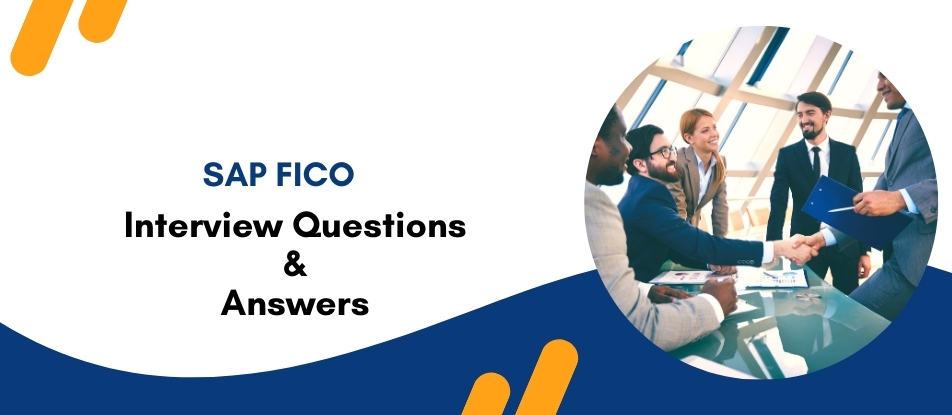
SAP FICO Training by Multisoft Virtual Academy (MVA) is designed to help professionals build strong expertise in Financial Accounting and Controlling processes within SAP ERP environments. The course covers key topics such as general ledger management, accounts payable, accounts receivable, asset accounting, cost center accounting, and profitability analysis. Through practical learning and industry-relevant case studies, participants gain the skills needed to manage financial data efficiently. This training is ideal for finance professionals, accountants, consultants, and individuals seeking career growth in SAP financial management.
SAP FICO Training Interview Questions Answers - For Intermediate
1. What is the relationship between SAP FI and SAP CO?
SAP FI (Financial Accounting) and SAP CO (Controlling) are closely integrated modules within SAP ERP. FI focuses on external financial reporting such as balance sheets, profit and loss statements, and statutory compliance. CO, on the other hand, manages internal cost monitoring, budgeting, and profitability analysis. Data posted in FI automatically flows into CO, enabling organizations to track both financial accounting and internal cost control efficiently.
2. What is the purpose of the Chart of Accounts in SAP FICO?
The Chart of Accounts (COA) in SAP FICO is a structured list of all general ledger accounts used by a company. It ensures consistent financial reporting and standardized accounting across organizational units. The COA defines account numbers, account names, and account types such as assets, liabilities, income, and expenses. It plays a critical role in maintaining transparency and enabling accurate financial statements.
3. What is a Company Code in SAP FICO?
A Company Code is the smallest organizational unit in SAP for which a complete set of financial statements can be generated. It represents a legal entity or subsidiary within an organization. Each company code maintains its own balance sheet and profit and loss statement. It also stores financial transactions, enabling companies to meet regulatory and tax reporting requirements.
4. What is a Posting Key in SAP FICO?
A Posting Key in SAP FICO controls how accounting entries are posted in financial transactions. It determines whether the entry is a debit or credit and defines the type of account being posted, such as vendor, customer, or general ledger. Posting keys also control additional fields required during posting, ensuring accurate and consistent financial transaction processing.
5. What is the purpose of the Fiscal Year Variant in SAP?
The Fiscal Year Variant defines the financial accounting period structure for a company in SAP. It determines how many posting periods exist within a fiscal year and how they are organized. Companies may follow a calendar year or a non-calendar fiscal year depending on their accounting practices. This configuration ensures proper financial reporting and period-based accounting management.
6. What is a Cost Center in SAP CO?
A Cost Center is an organizational unit within SAP CO used to track costs incurred by specific departments or functions of a company. It helps organizations monitor operational expenses such as salaries, utilities, and maintenance. Cost centers allow businesses to analyze departmental spending, improve budget control, and ensure accountability for internal cost management.
7. What is the difference between a Profit Center and a Cost Center?
A Cost Center tracks expenses within departments and helps organizations control operational costs. A Profit Center, however, measures both revenue and expenses to determine profitability for a specific business unit, product line, or region. While cost centers focus on cost monitoring, profit centers enable companies to evaluate performance and profitability at a strategic business level.
8. What is Automatic Payment Program (APP) in SAP FICO?
The Automatic Payment Program (APP) in SAP FICO is used to automate vendor payments and customer collections. It selects open invoices, verifies due dates, and generates payment proposals automatically. After approval, the system processes payments through bank transfers, checks, or other payment methods. APP significantly reduces manual workload and improves payment accuracy and efficiency.
9. What is the use of Document Types in SAP FICO?
Document Types in SAP FICO classify accounting transactions and control how financial documents are posted. They determine number ranges, account types allowed, and document processing rules. For example, separate document types exist for vendor invoices, customer payments, and general ledger postings. This classification improves transaction tracking, reporting, and financial audit transparency.
10. What is the purpose of Reconciliation Accounts in SAP?
Reconciliation accounts connect sub-ledger accounts such as vendors and customers with the general ledger. When transactions are posted in sub-ledgers, the system automatically updates the reconciliation account in the general ledger. This ensures data consistency between detailed sub-ledger records and overall financial statements, eliminating the need for manual reconciliation and improving financial accuracy.
11. What is the use of Internal Orders in SAP CO?
Internal Orders in SAP CO are used to track costs related to specific activities, events, or temporary projects. They help organizations monitor expenses for short-term initiatives such as marketing campaigns, maintenance tasks, or research activities. Internal orders provide detailed cost tracking, allowing businesses to analyze expenditures and ensure projects stay within allocated budgets.
12. What is the purpose of the Financial Statement Version (FSV)?
The Financial Statement Version (FSV) defines the structure used to generate financial reports such as balance sheets and profit and loss statements. It groups general ledger accounts into reporting categories like assets, liabilities, revenues, and expenses. By organizing accounts logically, the FSV ensures standardized financial reporting and simplifies analysis for management and auditors.
13. What is Asset Accounting in SAP FICO?
Asset Accounting in SAP FICO manages and monitors fixed assets throughout their lifecycle. It records asset acquisition, depreciation, transfers, and retirement. The module ensures accurate valuation of company assets and integrates with the general ledger to maintain financial consistency. It also supports compliance with accounting standards and provides detailed asset reporting for financial analysis.
14. What is the purpose of the Controlling Area in SAP CO?
A Controlling Area is the main organizational unit in SAP CO used for internal cost management and reporting. It can include one or more company codes that share the same cost accounting structure. The controlling area enables centralized monitoring of costs, profitability, and performance across different departments or business units within an organization.
15. What is Profitability Analysis (CO-PA) in SAP FICO?
Profitability Analysis (CO-PA) is used to evaluate a company’s profitability based on products, customers, sales regions, or business segments. It helps organizations understand which areas generate the most profit and where improvements are needed. CO-PA supports strategic decision-making by providing detailed financial insights that guide pricing, marketing strategies, and business planning.
SAP FICO Training Interview Questions Answers - For Advanced
1. What is Parallel Accounting in SAP FICO and why is it important?
Parallel Accounting in SAP FICO allows organizations to maintain multiple accounting standards simultaneously within the same system. Companies often need to comply with different financial reporting standards such as IFRS, GAAP, or local statutory regulations. SAP enables this through parallel ledgers, accounts, or valuation methods. By maintaining separate accounting views, organizations can generate multiple financial reports without duplicating transactions. This approach improves transparency, ensures regulatory compliance, and simplifies financial consolidation across global business units operating under different accounting standards.
2. What is the New General Ledger (New GL) in SAP FICO?
The New General Ledger in SAP FICO enhances financial reporting by introducing features such as document splitting, parallel accounting, and real-time integration with controlling. It allows organizations to generate segment reporting and improve financial transparency. New GL replaces the classic GL structure by enabling multiple ledgers for different accounting principles. It also simplifies reconciliation between financial accounting and controlling modules. With real-time data updates and improved reporting capabilities, the New GL helps organizations perform faster financial analysis and meet modern regulatory requirements efficiently.
3. What is Document Splitting in SAP FICO?
Document Splitting is a feature in the New General Ledger that automatically divides accounting entries according to specific dimensions such as profit center, segment, or business area. This functionality ensures that financial statements are balanced at detailed reporting levels. When transactions involve multiple profit centers or segments, SAP automatically allocates amounts proportionally. Document splitting improves financial transparency, simplifies reporting, and supports compliance with international accounting standards. It also enables organizations to generate accurate segment-level financial statements without requiring manual adjustments.
4. What is the purpose of Special Purpose Ledger in SAP?
Special Purpose Ledger (FI-SL) in SAP is used to create customized financial reports that are not available in standard financial accounting. It allows organizations to store additional financial data and generate specialized reports for management analysis or statutory requirements. Companies can design their own tables and reporting structures according to business needs. FI-SL is particularly useful for complex financial scenarios such as industry-specific reporting, consolidation adjustments, or customized financial tracking beyond the capabilities of standard SAP financial modules.
5. What is the integration between SAP FICO and SAP MM?
Integration between SAP FICO and SAP MM ensures seamless financial recording of procurement transactions. When a purchase order is created and goods are received in the MM module, corresponding accounting entries are automatically generated in SAP FI. For example, goods receipt posts entries to inventory and GR/IR accounts, while invoice verification updates vendor liability accounts. This integration eliminates manual accounting entries and ensures real-time financial updates. It improves data accuracy, strengthens financial control, and enables efficient tracking of procurement-related financial transactions.
6. What is the GR/IR Account and how is it used in SAP?
The GR/IR (Goods Receipt/Invoice Receipt) account is a clearing account used during procurement processes in SAP. When goods are received before the invoice is posted, the system records the transaction in the GR/IR account. Once the vendor invoice is received and verified, the amount is cleared against the GR/IR balance. This process ensures accurate tracking of goods received but not yet invoiced. It helps maintain proper financial control and prevents discrepancies between procurement and accounting records.
7. What is SAP Credit Management in FICO?
SAP Credit Management helps organizations manage and monitor customer credit risk during sales transactions. It defines credit limits for customers and tracks outstanding receivables. When a sales order is created, the system checks the customer's credit exposure against their assigned credit limit. If the limit is exceeded, the system can block further transactions. Credit Management helps companies reduce financial risk, improve receivable management, and maintain better control over customer payment behavior and credit exposure.
8. What is the purpose of the Validation and Substitution process in SAP FICO?
Validation and Substitution in SAP FICO are control mechanisms used to ensure data accuracy and compliance during financial postings. Validation checks whether entered data meets predefined conditions before allowing the transaction to be posted. If conditions are not satisfied, the system generates an error or warning message. Substitution automatically replaces certain field values based on predefined rules. These features help organizations enforce accounting policies, reduce manual errors, and maintain consistent financial data across different transactions.
9. What is Intercompany Accounting in SAP FICO?
Intercompany Accounting in SAP FICO manages financial transactions between different company codes within the same organization. When a transaction occurs between two company codes, SAP automatically creates corresponding entries in both entities. The system ensures that debits and credits remain balanced across companies. This functionality simplifies intercompany reconciliation and ensures accurate consolidated financial reporting. It also reduces manual adjustments and provides transparency in transactions between subsidiaries or business units operating under the same corporate structure.
10. What is the purpose of SAP Treasury Integration with FICO?
SAP Treasury integrates with FICO to manage financial assets, liquidity planning, and risk management. It allows organizations to monitor cash flow, manage bank transactions, and track financial instruments such as loans and investments. Treasury integration ensures that financial transactions related to cash management are automatically reflected in financial accounting. This integration provides real-time visibility into liquidity positions, improves financial forecasting, and supports better decision-making for managing corporate finances and financial risks.
11. What is SAP Consolidation in Financial Accounting?
SAP Consolidation combines financial data from multiple subsidiaries or company codes to create consolidated financial statements for the entire organization. It eliminates intercompany transactions and aligns financial data according to common accounting standards. Consolidation helps companies generate group-level balance sheets, profit and loss statements, and management reports. This functionality is essential for multinational organizations that must comply with global financial reporting standards and provide a unified financial view to stakeholders and regulatory authorities.
12. What is the role of SAP Financial Closing Cockpit?
The Financial Closing Cockpit in SAP is a tool used to automate and manage the financial closing process. It organizes and schedules closing activities such as reconciliations, postings, and reporting tasks. The cockpit provides a structured workflow that ensures tasks are completed in the correct sequence. It also allows managers to monitor progress and identify delays. By automating financial closing processes, organizations can reduce manual effort, improve accuracy, and complete period-end closing faster.
13. What is SAP Profit Center Accounting?
Profit Center Accounting in SAP is used to evaluate the profitability of different business units within an organization. It tracks revenues and expenses for each profit center, allowing companies to analyze performance at a departmental or regional level. Profit centers act as internal reporting units that support managerial decision-making. This functionality helps organizations understand which areas generate the most profit and where operational improvements are needed to increase overall financial performance.
14. What is the role of SAP Controlling in internal reporting?
SAP Controlling (CO) focuses on internal cost management and performance analysis. It provides tools such as cost centers, internal orders, and profitability analysis to track operational expenses and revenues. Controlling helps management monitor business performance, allocate costs accurately, and plan budgets effectively. By providing detailed financial insights, the CO module supports strategic decision-making and helps organizations improve operational efficiency and profitability.
15. What is SAP Financial Supply Chain Management (FSCM)?
SAP Financial Supply Chain Management (FSCM) extends traditional financial accounting by improving processes related to receivables, collections, and dispute management. It helps organizations manage cash flow more effectively by automating credit management, billing, and payment processing. FSCM provides advanced tools for monitoring outstanding invoices and resolving payment disputes. This functionality enhances financial efficiency, reduces payment delays, and improves overall working capital management for organizations operating in complex financial environments.
Course Schedule
| Sep, 2026 | Weekdays | Mon-Fri | Enquire Now |
| Weekend | Sat-Sun | Enquire Now | |
| Oct, 2026 | Weekdays | Mon-Fri | Enquire Now |
| Weekend | Sat-Sun | Enquire Now |
Related Courses






Related Articles
- SAP BRIM Training – Upgrade Your Billing and Revenue Innovation Management Skills
- Salesforce FSC Training: Master Financial Services CRM
- Career Opportunities with Machine Learning Online Training
- Orcaflex Training: Master Dynamic Offshore Analysis with Industry-Focused Certification
- PV Elite Training: Master Pressure Vessel Design and Build a Successful Engineering Career
Related Interview
- Support Vector Machines Interview Questions Answers
- UKG Pro Workforce Management (PWFM) Interview Questions Answer
- AWS Solution Architect Associate Level Interview Questions Answers
- Oracle PeopleSoft Admin Interview Questions Answers
- Siemens Basic Engineering & Operations (SPPA-T3000) Training Interview Questions Answers
Related FAQ's
- Instructor-led Live Online Interactive Training
- Project Based Customized Learning
- Fast Track Training Program
- Self-paced learning
- In one-on-one training, you have the flexibility to choose the days, timings, and duration according to your preferences.
- We create a personalized training calendar based on your chosen schedule.
- Complete Live Online Interactive Training of the Course
- After Training Recorded Videos
- Session-wise Learning Material and notes for lifetime
- Practical & Assignments exercises
- Global Course Completion Certificate
- 24x7 after Training Support



 Join our Live Instructor-Led online classes delivered by industry experts
 Let's Get Started
