


Benefits of the ISTQB Foundation Level Certification Training Online
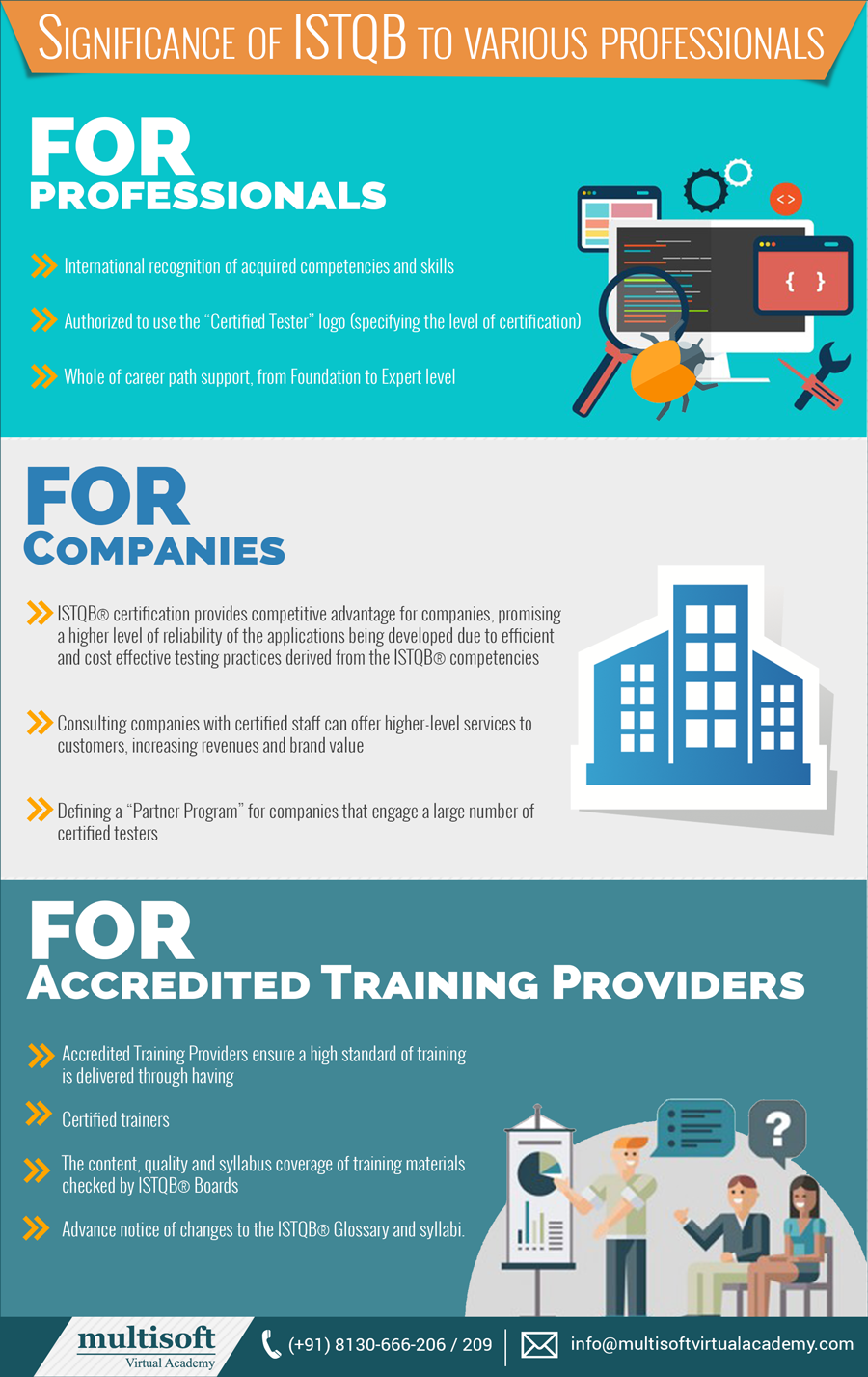
The professionals, who wants to gain practical intelligence on the fundamentals of software testing should opt for the ISTQB foundation course; the training is important to clarify the ISTQB foundation level examination. Focusing on the advantages of the training on the ISTQB foundation level training, it is a milestone for the testing professionals, as they can appear in the advanced level certification only after the successful completion of the foundation level.
Moreover, the training enhances the testing skills of the candidates. Anyone who has minimum experience of six months can go for the foundation level training; it is not necessary for the professionals to join the classroom training, the facility of ISTQB foundation level online training is available these days all over the world.
 Benefits of Online Training
Focusing on the time management of the working professionals, the concept of online training program has been launched; let’s see what are the benefits of the foundation level online training:
Benefits of Online Training
Focusing on the time management of the working professionals, the concept of online training program has been launched; let’s see what are the benefits of the foundation level online training:
Benefits of Online Training
Focusing on the time management of the working professionals, the concept of online training program has been launched; let’s see what are the benefits of the foundation level online training:
- It offers the flexibility to the candidates to customize their training module
- The training can be attended anytime and from anywhere as per candidates’s comfort
- The training helps to gain intelligence with the help of the experienced trainer
- The trainers are always available to help the candidates
- The candidates benefited from the recorded sessions, which clear their vision on dealing the real time scenarios and a lot more










 Though, it is a tough task to consolidate the data of any organization and concentrate on increasing the graph of the business, it is
 Nowadays, it is important to learn how implement Finance (FI) and Controlling (CO) into ERP i.e. Enterprise Resource Planning; this can only be possible with the help of SAP FICO online training. The online
 The ISTQB (International Software Testing qualification Board) exemplifies the national training providers and assign them the charge to conduct the examination in their local language. This is practiced because the trainees should learn the things with ease and perform best ion the examination. Moreover, ISTQB foundation level online training proves to be very beneficial for the software testing professionals because it covers all from fundamental to the advanced level of the software testing concept. The ISTQB foundation level training has been segregated into four levels of knowledge:
Level 1: the keywords of the Level1 training of ISTQB foundation course are to recognize, recall, identify, etc. at this level the candidates have to recall and identify the fundamental terminologies and the basic concept of implementation of the knowledge in software testing.
Level2: Compare, categorize and summarize are the keywords of this level; the trainees in this level research on the topics of the course and then present the explanation of software testing concepts. This helps them to analyze their own work and intelligence.
Level3: This level focuses on Implementation and following of the procedure. This is the level where the candidates actually learn the implementation of the knowledge of testing.
Level4: This level makes the trainees analyze the technique of software testing and later on they are capable enough to differenciate between the conjecture of the testing skills and implementation of the intelligence.
Nevertheless,
The ISTQB (International Software Testing qualification Board) exemplifies the national training providers and assign them the charge to conduct the examination in their local language. This is practiced because the trainees should learn the things with ease and perform best ion the examination. Moreover, ISTQB foundation level online training proves to be very beneficial for the software testing professionals because it covers all from fundamental to the advanced level of the software testing concept. The ISTQB foundation level training has been segregated into four levels of knowledge:
Level 1: the keywords of the Level1 training of ISTQB foundation course are to recognize, recall, identify, etc. at this level the candidates have to recall and identify the fundamental terminologies and the basic concept of implementation of the knowledge in software testing.
Level2: Compare, categorize and summarize are the keywords of this level; the trainees in this level research on the topics of the course and then present the explanation of software testing concepts. This helps them to analyze their own work and intelligence.
Level3: This level focuses on Implementation and following of the procedure. This is the level where the candidates actually learn the implementation of the knowledge of testing.
Level4: This level makes the trainees analyze the technique of software testing and later on they are capable enough to differenciate between the conjecture of the testing skills and implementation of the intelligence.
Nevertheless, 
 Let’s have a look at what MVA offers in its Self Learning Courses:
Self- learning courses are very much like on demand courses; in other words, these are more or less related to the projects trainees are dealing with and want to intensify their skill some of them are:
Let’s have a look at what MVA offers in its Self Learning Courses:
Self- learning courses are very much like on demand courses; in other words, these are more or less related to the projects trainees are dealing with and want to intensify their skill some of them are:

 As we have learnt that MATLAB is an important tool for engineers for developing system – level modeling as well as cloning the environment as well; MATLAB is adapted by a majority of the companies in the IT sector, moreover, it has become the necessity to join MATLAB training courses. Though, working people do not have time to join regular classes for advance learning, so MVA has come up with the idea for the MATLAB online course so that the working professionals can be benefitted. As a matter of fact, time is the biggest issue for the working people, thus, MVA provides 24/7 MATLAB training online, which helps the professionals to resolve their queries anytime of the day.
MVA’s MATLAB Training Courses include all the five important elements of the Matrix Laboratory:
As we have learnt that MATLAB is an important tool for engineers for developing system – level modeling as well as cloning the environment as well; MATLAB is adapted by a majority of the companies in the IT sector, moreover, it has become the necessity to join MATLAB training courses. Though, working people do not have time to join regular classes for advance learning, so MVA has come up with the idea for the MATLAB online course so that the working professionals can be benefitted. As a matter of fact, time is the biggest issue for the working people, thus, MVA provides 24/7 MATLAB training online, which helps the professionals to resolve their queries anytime of the day.
MVA’s MATLAB Training Courses include all the five important elements of the Matrix Laboratory:

 If you are seeking a bright future in the IT industry then you have to keeping yourself revised about all the updates. However, we all know that cracking an interview of an MNC is not an easy task to complete, but, as a matter of fact, it requires lots of
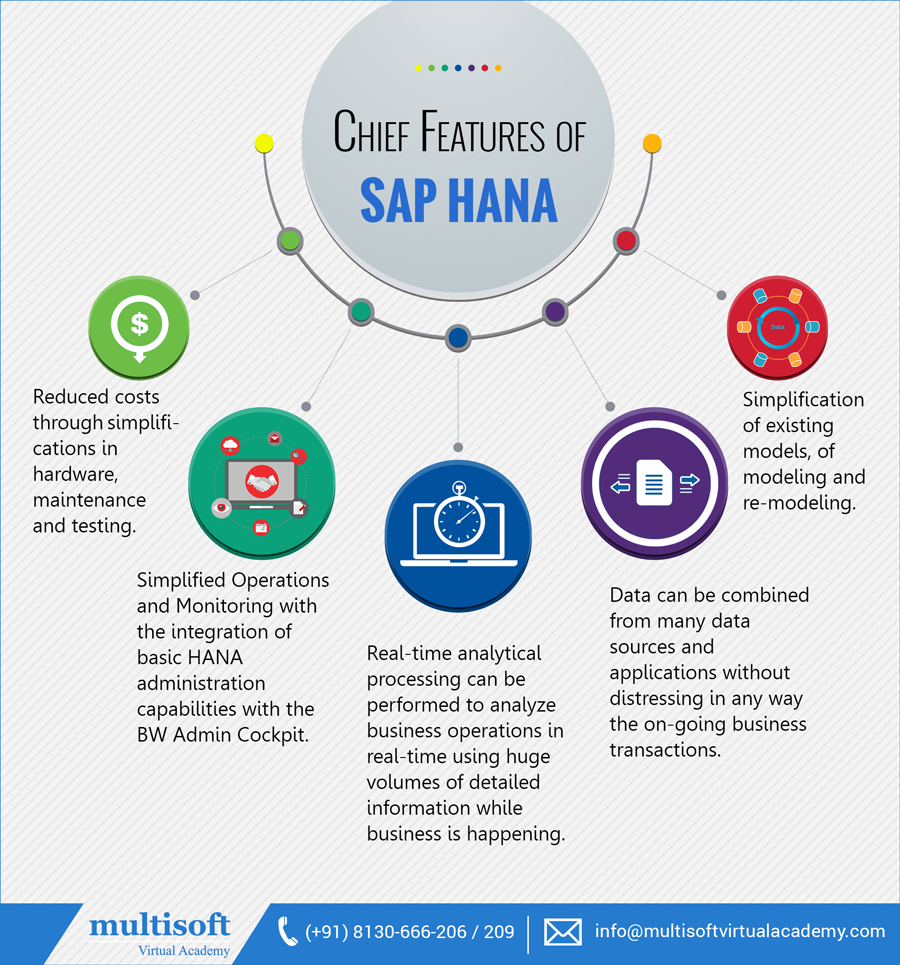
 At the center of this continuous information stage is the SAP HANA database, which is in a general sense unique in relation to some other database motor in the market today. This instructional exercise will show you the essentials of SAP HANA. The instructional exercise is isolated into areas, for example, SAP HANA Basics, SAP HANA-Modeling, Reporting, and SAP HANA-SQL. Each of these areas contains related points with screenshots clarifying the SAP HANA database establishments.
Requirement for SAP HANA
Today, best organizations react rapidly to market changes and new open doors. A key to this is the powerful and effective utilization of information and data by examiner and administrators.
HANA defeats the restrictions said underneath −
At the center of this continuous information stage is the SAP HANA database, which is in a general sense unique in relation to some other database motor in the market today. This instructional exercise will show you the essentials of SAP HANA. The instructional exercise is isolated into areas, for example, SAP HANA Basics, SAP HANA-Modeling, Reporting, and SAP HANA-SQL. Each of these areas contains related points with screenshots clarifying the SAP HANA database establishments.
Requirement for SAP HANA
Today, best organizations react rapidly to market changes and new open doors. A key to this is the powerful and effective utilization of information and data by examiner and administrators.
HANA defeats the restrictions said underneath −




 When you read the syllabus and the prescribe book, test your insight by method for endeavoring some ISTQB taunt exams from test papers that you can discover in the web.
Re Read the aforementioned book once more. Try not to overlook this counsel since it is essential.
Utilize each exertion keeping in mind the end goal to see every one of the terms legitimately! Excessively numerous exam inquiries are based on the learning of terms. This is the base, without which it is difficult to pass the exam. OR You can also consider taking up
When you read the syllabus and the prescribe book, test your insight by method for endeavoring some ISTQB taunt exams from test papers that you can discover in the web.
Re Read the aforementioned book once more. Try not to overlook this counsel since it is essential.
Utilize each exertion keeping in mind the end goal to see every one of the terms legitimately! Excessively numerous exam inquiries are based on the learning of terms. This is the base, without which it is difficult to pass the exam. OR You can also consider taking up 




 Join our Live Instructor-Led online classes delivered by industry experts
 Let's Get Started
